
It’s going to be an infographic post. While preparing for a test, I revisited the main concepts of SQL and realized that there are some memos I find especially useful.
Here they are:
Order of Query vs Order of Execution
Logical operators and wildcards
Order of Query vs Order of Execution
I was surprised when I first learned that SELECT is executed toward the end. Now I know better.
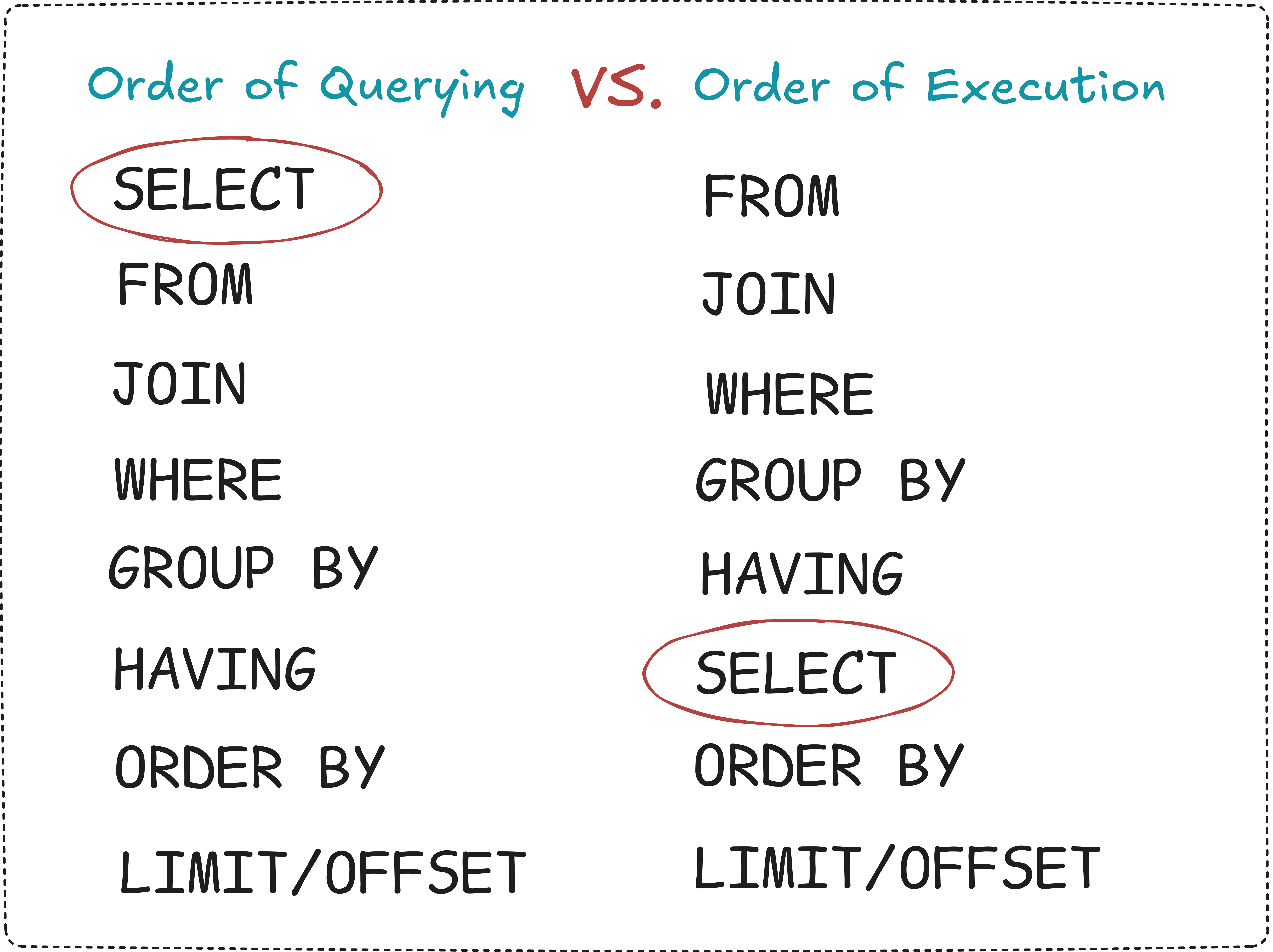
It also helped me understand why I can’t use aliases I give in SELECT — in WHERE or HAVING, like here:
SELECT name,
        COUNT(order_id) AS total_orders -- Introduce alias 'total_orders'
FROM random_table
GROUP BY name
HAVING total_orders > 1 -- (!!!)  This alias can't be used, because query doesn't know about it yet
ORDER BY total_orders -- But by now the alias is already known and can be used
So, it should be like this:
SELECT name,
        COUNT(order_id) AS total_orders
FROM random_table
GROUP BY name
HAVING COUNT(order_id) > 1 -- (!!!) <= here, write without alias
ORDER BY total_orders
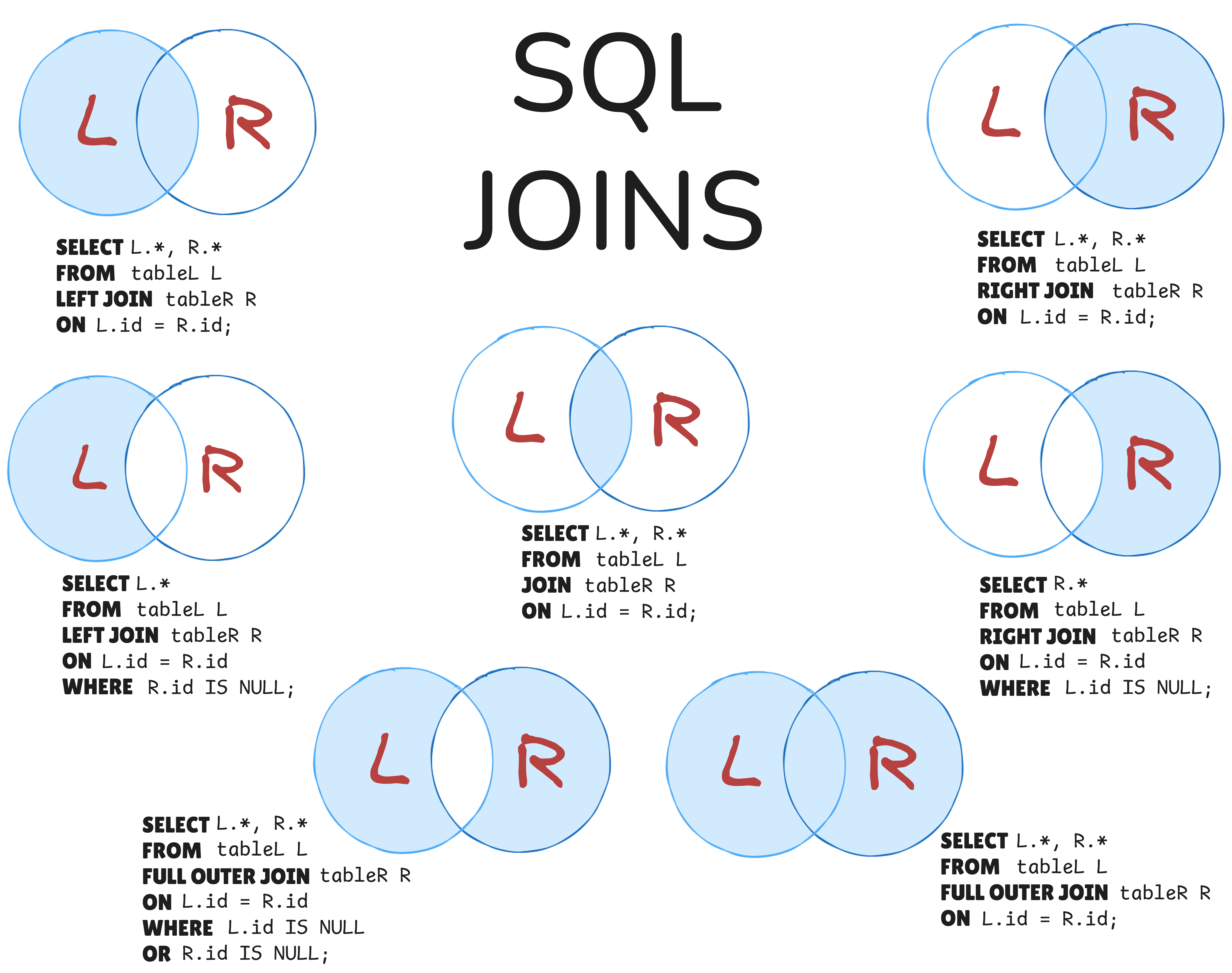
SQL Joins in Venn diagrams
This one I use quite a lot. Helps to understand which data from joined tables is selected.
Handy, visual, and quick to grasp.
Logical operators and wildcards
Logical operators are used to combine multiple conditions inside a query so to filter data more precisely. Most commonly in:
WHERE=> to filter rowsHAVING=> to filter grouped resultsON=> to define join conditions
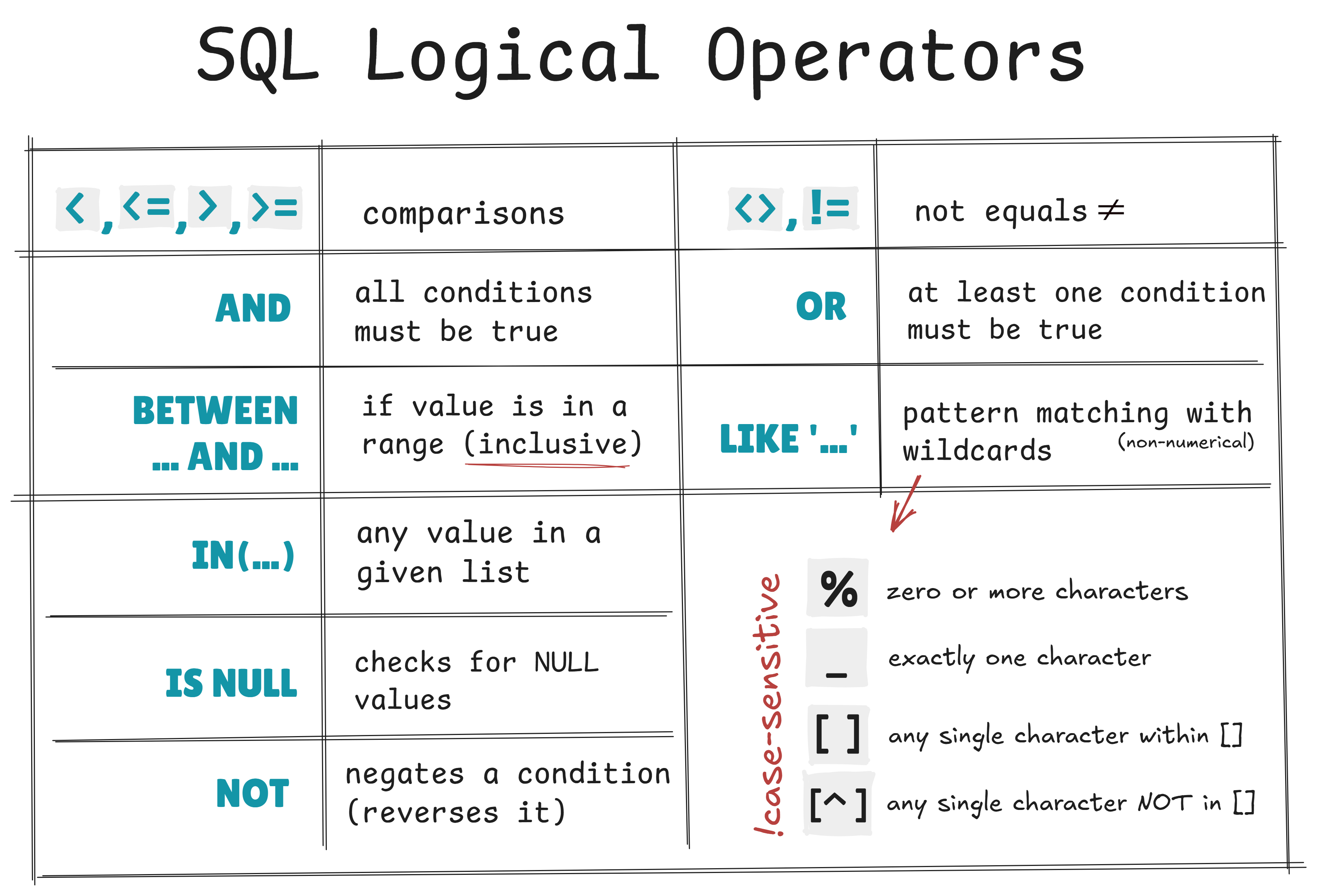
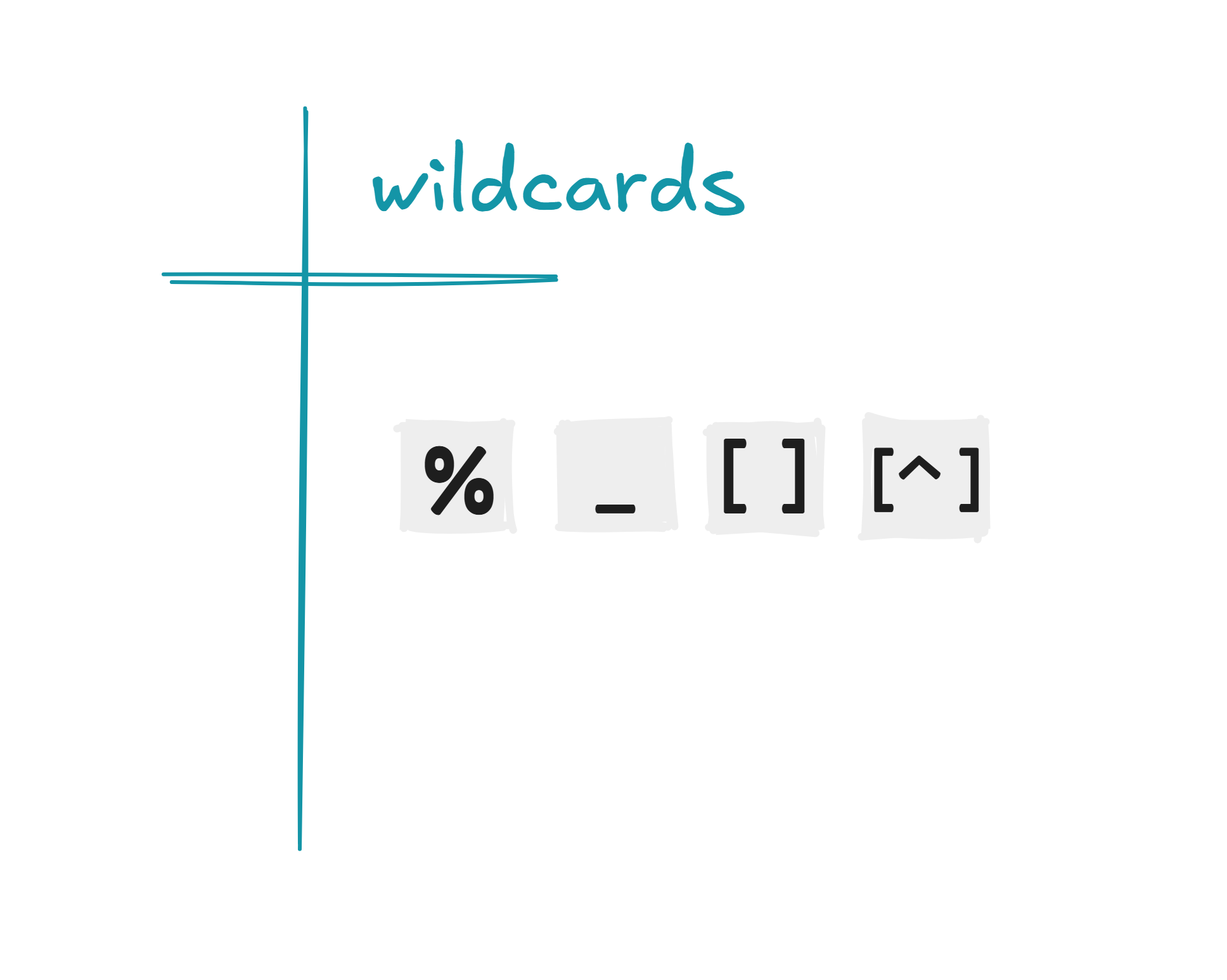
What about wildcards? I just love the fact that some ‘cards’ are wild. So relatable.
Wildcards are special symbols used with LIKE to search for patterns in text — not exact matches.
The two main ones:
%=> any number of characters_=> exactly one character
Quick example:
SELECT *
FROM posts
WHERE title LIKE 'S_L%'; -- Meaning: "S" + exactly one character + "L" + any number of characters after
=> Thus, “SQL Joins” will match the pattern “wild SQL” will not.
While brainstorming ideas for this post, I was pleased to realize just how much I covered during the week. I don’t want to clutter the posts by pouring out everything I encountered or learned. Instead, I’ll try to focus on the gems, surprises, or things that just caught my attention for some reason.
Next up: More SQL: Queries for Duplicates and Missing Values