
Some of the courses I’ve tried in data analytics use clean data to work with, which is nice, yet utopian :) That’s why whenever I see ‘data cleaning’ mentioned somewhere, I’m all ears.
As far as I know now, there are three types of data that need to be checked during Data Cleaning process:
- Duplicates
- Missing Data
- Outliers
Today I’ll touch on the first two types (SQL-wise): queries that I stumbled upon while studying.
Check for duplicates and Remove duplicates
Here’s a simple table with duplicates.
-- Initial table
SELECT *
FROM category
ORDER BY category_id;
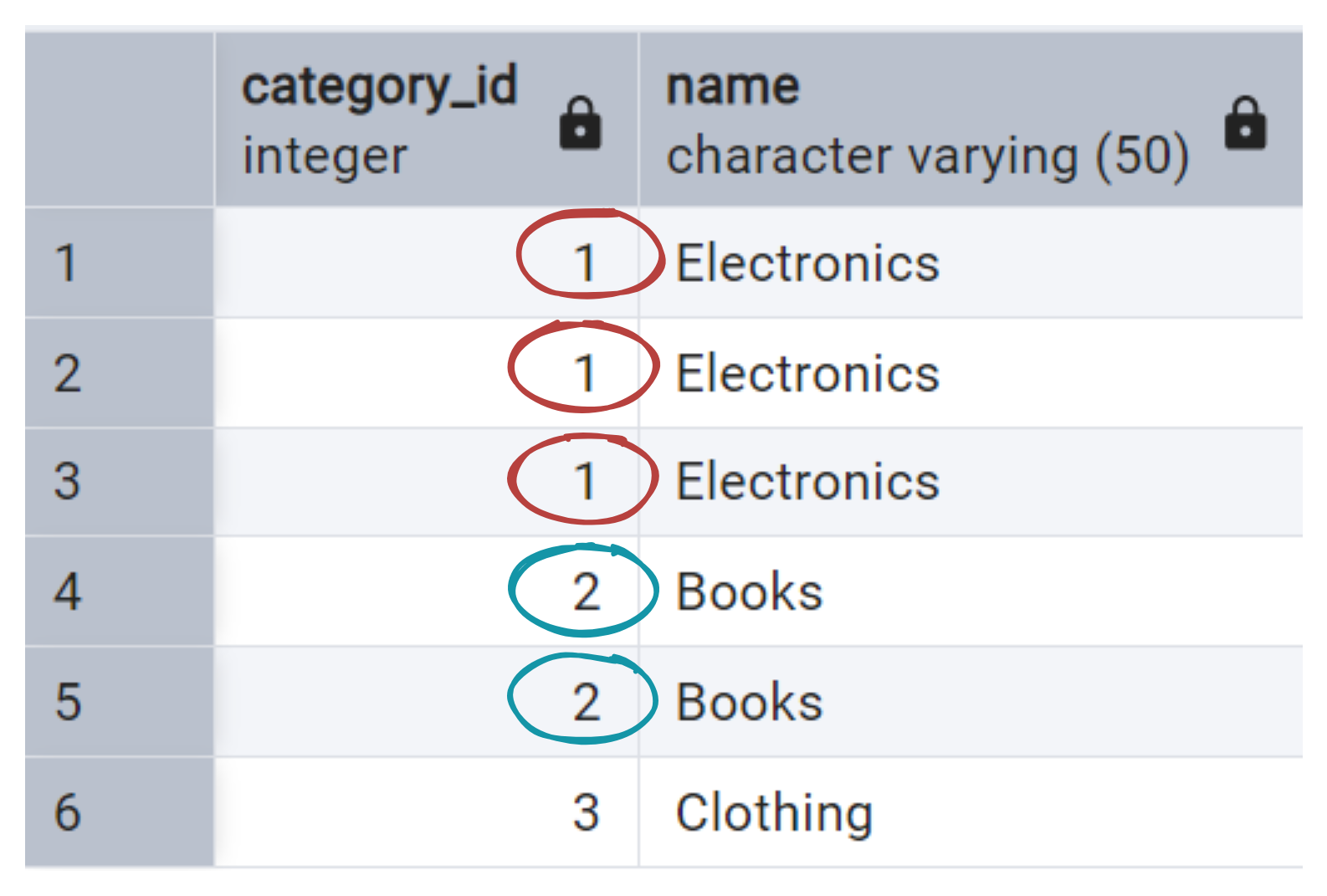
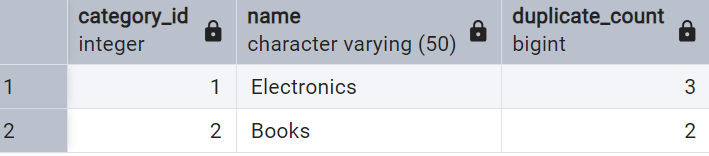
It has only 2 columns, so in order to check for duplicates we are going to:
- group by both of these columns;
- count number of duplicates (=how many category_id+name combinations);
- filter out those that get count of 1 (=no duplicates).
I. Checking
-- Check for Duplicates
SELECT category_id,
        name,
        COUNT(*) as duplicate_count
FROM category
GROUP BY category_id,
        name
HAVING COUNT(*) > 1
ORDER BY category_id;
Removing the duplicates is a bit trickier, but step by step, it’s easily digestible.
II. Removing
This is the query:
-- Remove Duplicates
DELETE FROM category
WHERE ctid NOT IN (
    SELECT MIN(ctid)
    FROM category
    GROUP BY category_id,
            name
);
What it does?
Let’s break it down. The ctid shows where the row is stored.
-- Let's see what ctid does
SELECT ctid,
        category_id,
        name
    FROM category;
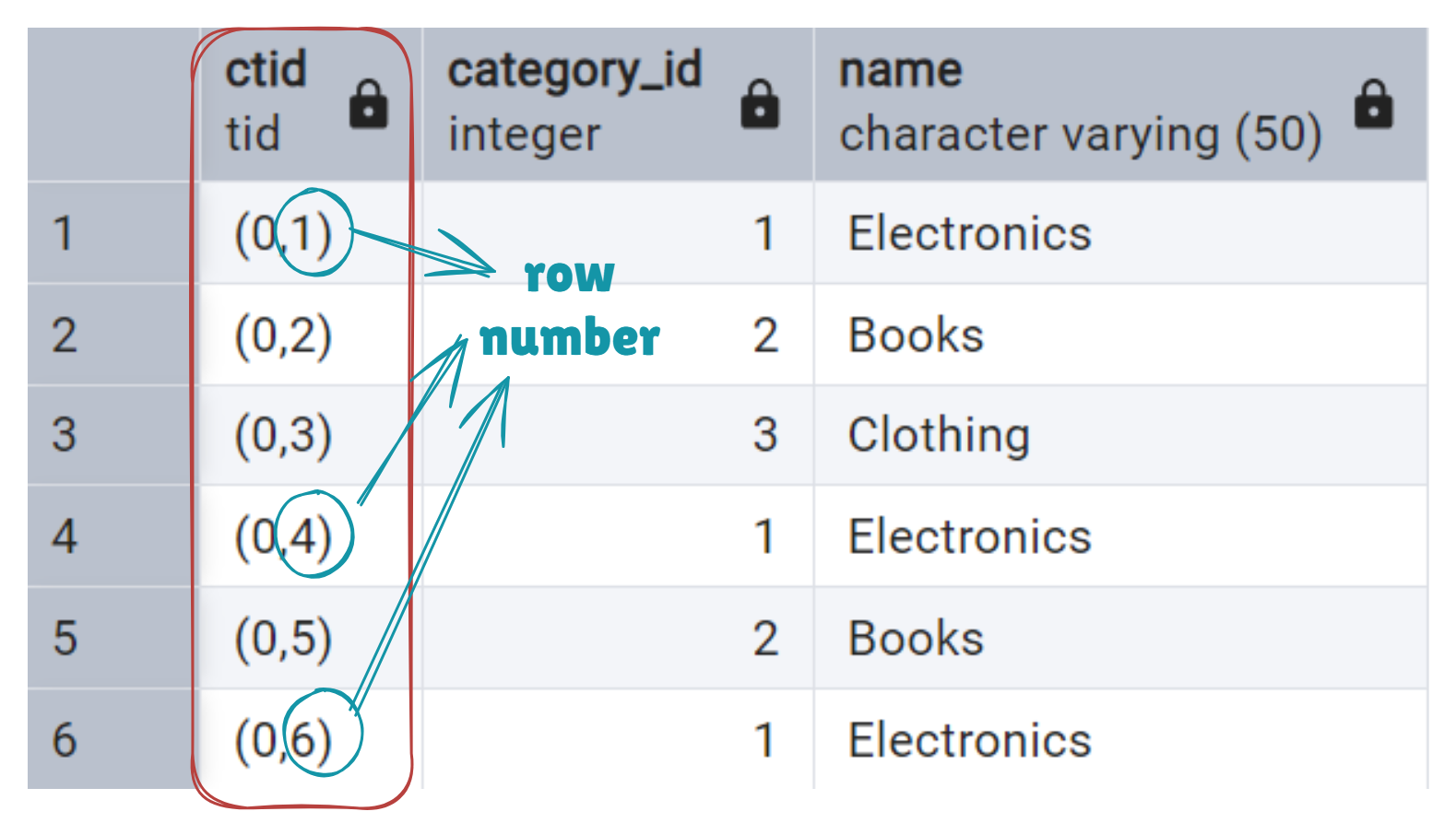
Numbers (0,1), (0,2), … mean: 0 - page number; 1, 2, etc - row number. Each row is unique, regardless of whether the contents of the rows are identical.
So, when we choose MIN(ctid), it gives first occurence of the category_id+name combination.
-- See 1st occurence of category_id+name combination
SELECT MIN(ctid),
        category_id,
        name
FROM category
GROUP BY category_id,
        name;
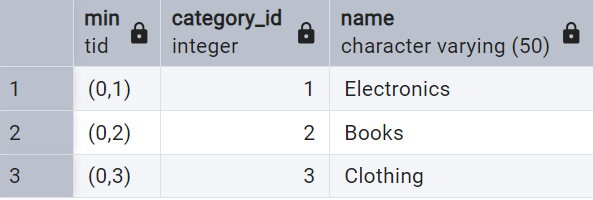
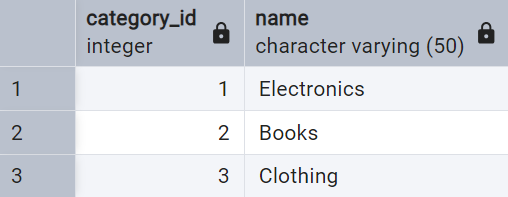
Thus, to delete only duplicates while keeping the first occurence, we use NOT IN MIN(ctid):
-- Remove Duplicates with CTID
DELETE FROM category
WHERE ctid NOT IN (
    SELECT MIN(ctid)
    FROM category
    GROUP BY category_id,
            name
);
-- Check what we've done
SELECT *
FROM category
ORDER BY category_id;
Yay.
Check for Missing Data
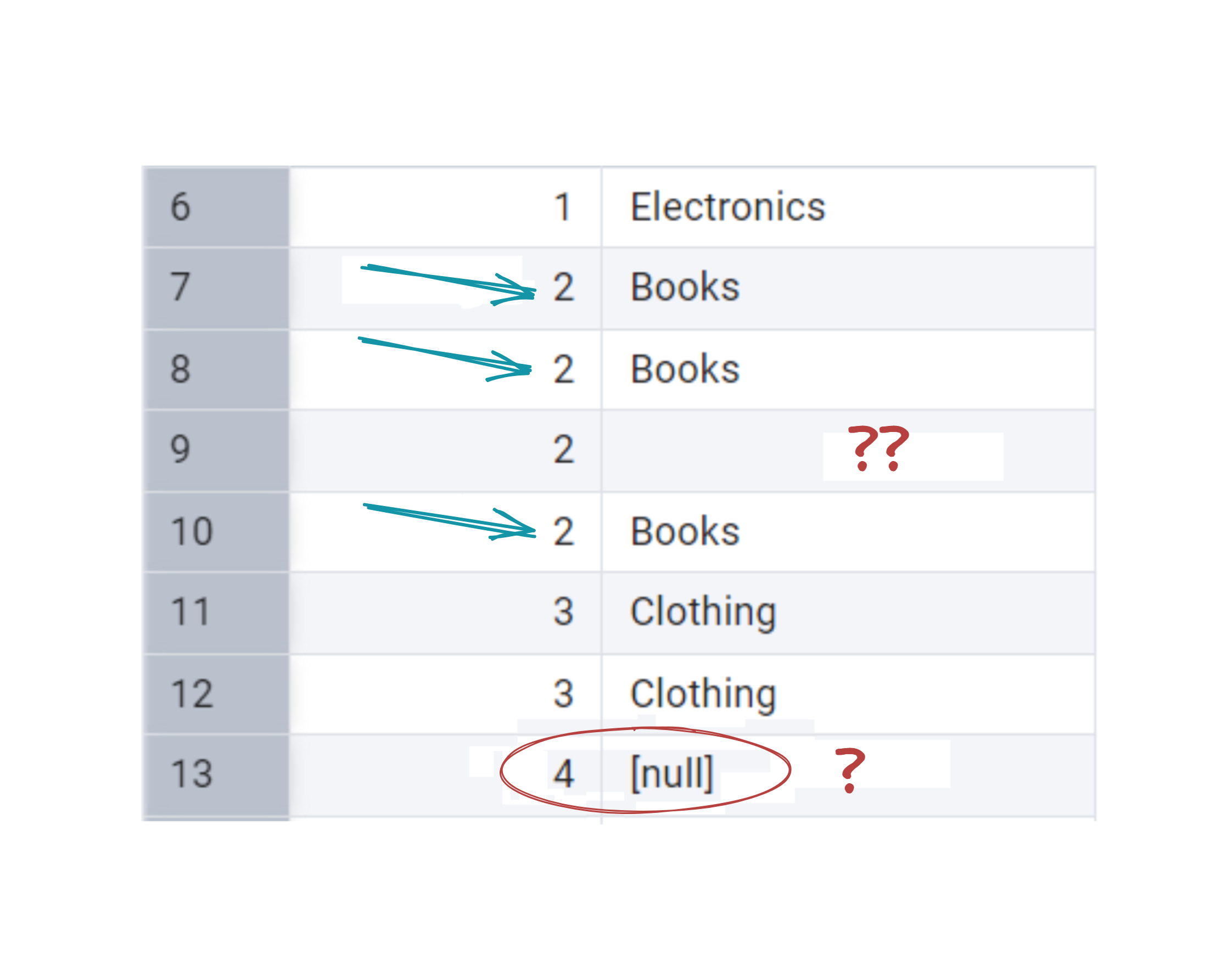
Now, consider a table like this:
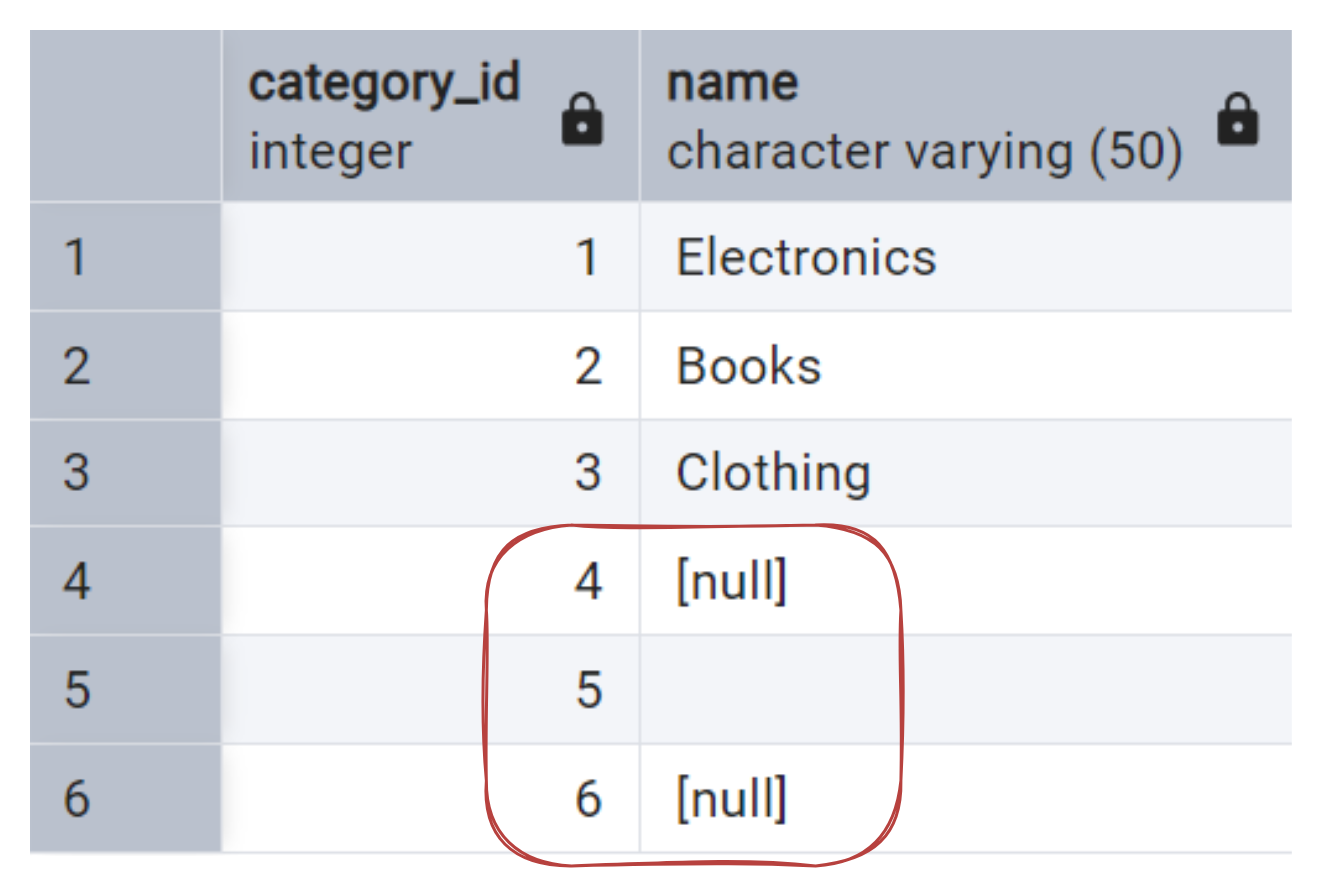
It’s quite straightforward to check for missing values by filtering for NULLs.
-- Check for missing values
SELECT *
FROM category
WHERE name IS NULL;

BUT
Wait, where is the 5th row? It is obviously missing some data as well!
In SQL, NULL represents true absence, while an empty string "" is technically a value — just an empty one. As well as zero. Well, with 0 it’s more straightforward — it does take space even for the naked eye, and it is a value. Meanwhile, empty strings can sneak around unnoticed.
So, we need to modify our query a bit:
-- Check for NULL or Empty Strings
SELECT *
FROM category
WHERE name IS NULL OR TRIM(name) = '';
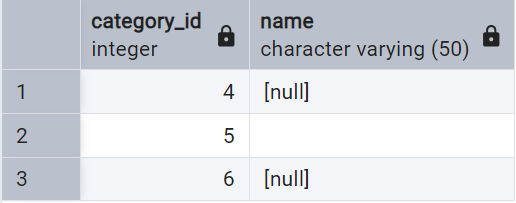
Gotcha!
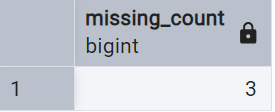
Depending on the quantity, it wight be a good idea to start by just counting them:
-- Count Missing or Empty Values
SELECT COUNT(*) AS missing_count
FROM category
WHERE name IS NULL OR TRIM(name) = '';
Once found, what to do with them?
- delete
- replace (for example, fill them in with “n/a” or averages)
I’ve also heard regression can be used to predict missing values — but that’s a more advanced topic for another day.
Until next time.